CLOUD SECURE

iOS Edition
Get it on App Store
Available on all platforms

Lock Your Cloud
On The Go.

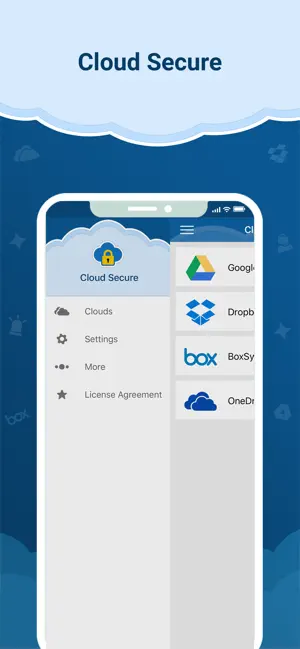
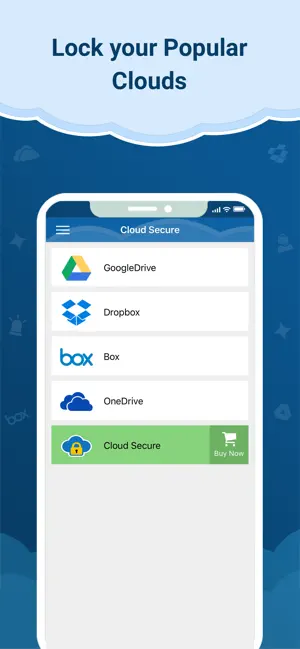
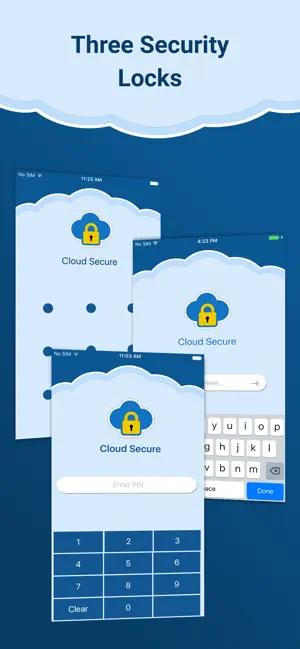
Password protect your Dropbox, Google Drive, OneDrive, and Box accounts directly on your devices. Secure your files with PIN, Touch ID, or Face ID.

Cloud Secure

Dropbox

Google Drive

OneDrive

Face ID Active

4 Ratings

4.5

Ages

4+

Years

Category

Productivity

Developer

NewSoftwares.net

Language

EN

English

Size

29.4

MB

Cloud Secure

Cloud Secure is a cloud drive protection application for iPhone/iPad that will secure your cloud drive accounts on your device. Prevent prying eyes from peeping into your cloud storage account which holds all your valued documents, photos, videos and important or confidential files and archives.

Bank-level AES-256 Bit Encryption Standard.

Supported Cloud Drives in Cloud Secure.

  • Google Drive Google Drive
  • One Drive
  • Box Box
  • Dropbox DropBox

Inside The App

Seamless iOS Experience

App Screenshot 1
App Screenshot 2
App Screenshot 3
App Screenshot 4
App Screenshot 5

HOW TO USE CLOUD SECURE

Securing your cloud drives takes less than a minute.

1

Set Master Lock

Launch the app and create a strong Master Password, PIN, or Pattern to serve as your unbreakable vault key.

2

Link Your Drives

Securely authenticate and connect your Google Drive, Dropbox, Box, or OneDrive accounts within the app.

3

Toggle Protection

Use the unified dashboard to toggle protection on or off instantly with a single tap for all your connected drives.

Unlocked Device Privacy

Native cloud apps rarely require a password once your phone is unlocked. Anyone who borrows your device can browse your cloud folders. Cloud Secure acts as the mandatory biometric vault.

Device Hand-overs

Keep private photos and financial records invisible when handing your phone to friends or kids.

Business Commutes

Protect sensitive client documents or proprietary notes stored in the cloud while traveling.

The Lock Gap

Most cloud apps prioritize easy access over security. Cloud Secure adds the critical missing layer.

Innovation

API Gating Logic

Cloud Secure uses native OAuth APIs to hook into your cloud accounts securely without storing your credentials. Your files are isolated and can only be viewed through the internal sandboxed viewer, preventing data leaks.

GATED Other Apps
OPEN Secure Browse

Browse in
Protected View

Protect your data from local OS leaks. View documents and photos using our internal secure browser that leaves no cache trace on your device.

  • Data Isolation Tech
  • No Cached Thumbnails
  • App-Level Encryption

Core Security Hub

Biometric Lock

Seamlessly integrate with Face ID and Touch ID for instant access control.

App Lock

Prevent uninstallation or tampering by securing the settings behind your PIN.

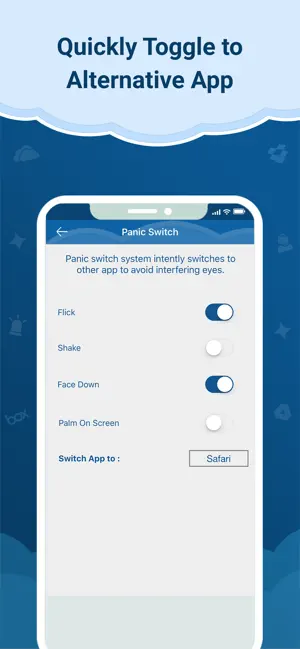
Panic Switch

Flick your phone face down to instantly lock the vault and switch to home.

One Master

Convenience meets security. Control Dropbox, Drive, Box under one master credential.

Cross-Platform Sync

Powerful Desktop Companion

Take your privacy beyond mobile. Cloud Secure for Windows provides the same military-grade encryption and seamless gating for your PC. Manage your cloud drives on the big screen with zero learning curve.

  • Windows 11/10 Compatible
  • Context Menu Integration
  • Unified Master Password
Download for PC
Cloud Secure Desktop App

Simple Pricing

One-time payment for lifetime cloud privacy on your desktop.

Best Value

Premium Edition

$ 34.95
One-Time License
  • Lock Unlimited Cloud Drives
  • AES-256 Military Encryption
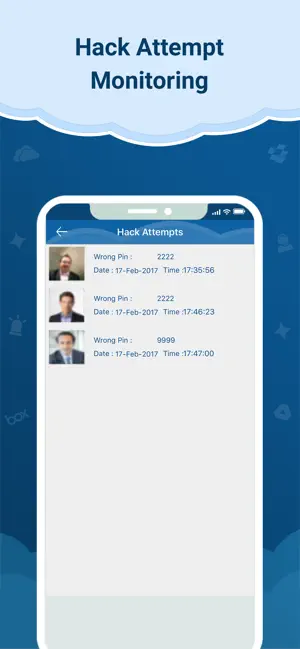
  • Hack Attempt Log & Stealth Mode
  • Lifetime Access & Updates
Add to Cart

Support FAQ

Does this modify my cloud files?

No. Cloud Secure does not touch your files or servers directly. It creates a secure, password-protected gateway on your device to view those files.

Is it compatible with iPad?

Yes! Cloud Secure is fully optimized for iPadOS, utilizing the larger screen space to easily manage multiple cloud drives simultaneously.

Does Cloud Secure store my cloud passwords?

Absolutely not. Cloud Secure uses secure OAuth tokens provided directly by Google, Dropbox, and Microsoft. We never see, store, or transmit your actual cloud account passwords.

What happens if I forget my Master PIN?

If you forget your PIN, you can securely recover your access using the registered email address you provided during the initial setup process.

Can I access my files offline?

Cloud Secure acts as a real-time gateway to your cloud drives. To fetch, view, and sync your latest files securely, an active internet connection is required.
Learn More

Explore Cloud Secure

Dive deeper into the mechanics of Cloud Secure and discover how it keeps your digital life private.

You're in good hands!

Encryption standard since 2002.

About Us

NewSoftwares LLC has come a long way since our first stride in 2002. We develop and deploy world-class data encryption & security products for iOS, Android, and Desktop.

READ MORE

Press

Aug 2024

Cloud Secure iOS Updated

READ MORE

From Blog

Oct 2018

Privacy on Mobile Devices

READ MORE

Securing Your Future Privacy.